You’re halfway through a client call, or your child is in the middle of an online class, when the fan stops spinning and the room goes quiet. JPS power is gone. A second later, so is the Wi-Fi.
If that sounds familiar, you’re not alone. The good news is that keeping your internet working during a JPS power outage is easier and cheaper than most people expect. Your modem and router use very little power, so even a small battery can keep them running for hours.
Internet Working During a JPS Power Outage
This guide explains why your internet drops when the power goes, how much backup you actually need, and how to set up a simple system that keeps you online, from short outages to hurricane season.
The short answer
To keep your internet working during a JPS outage, power your modem and router from a battery backup, such as a portable power station or a UPS. Keep your phone charged too. During long or widespread outages, your provider’s own equipment can lose power, and mobile data becomes your fallback.
That gives you two layers:
- Battery backup at home keeps your modem, router and laptop running when only your area, or only your house, loses power.
- Mobile data on a charged phone keeps you online if Flow’s or Digicel’s local equipment goes down too.
Most homes only need a small battery to cover the first layer. The rest of this guide shows you how to size it and set it up.
Why your internet goes down when JPS power goes
Your internet connection depends on powered equipment at two ends: inside your home, and in your provider’s network down the road. When JPS power goes, the equipment in your home shuts off instantly. Your provider’s equipment may keep running for a while on its own backup, or it may not.
Your modem and router need power
Whether you have fibre, cable or fixed wireless, the line coming into your house is useless without powered equipment at your end. That’s usually an ONT or modem from your provider, plus a Wi-Fi router, and sometimes mesh nodes around the house. Lose power to any of them and your devices lose the connection.
Your provider’s network needs power too
Flow and Digicel run street cabinets, exchanges and cell towers that also rely on electricity. Many have backup batteries or generators, but these are designed to bridge outages, not to run indefinitely. During a long or widespread outage, such as after a hurricane, parts of the network can go down too.
That’s why you sometimes see this: your router has power and the Wi-Fi light is on, but there’s no internet. The problem is further up the line, and no amount of home backup will fix it. That’s where mobile data comes in.
Surges when the power comes back
Power often returns with a surge, or flickers on and off several times. That can stress or damage modems and routers over time. A surge protector between the wall and your equipment helps. Many power stations pass grid power straight through to your devices once it returns, so if surges are common in your area, add a surge protector on the wall side as well.
How much power your internet actually uses
A typical home internet setup, meaning a modem or ONT plus a router, uses around 10 to 25 watts. That’s less than a single ceiling fan. Add a laptop and you’re usually still under 100 watts, which is why even small batteries can keep you online for hours.
| Device | Typical power use |
|---|---|
| Fibre ONT or cable modem | 5–12 W |
| Wi-Fi router | 6–15 W |
| Mesh Wi-Fi node (each) | 5–10 W |
| Combined modem-router unit | 10–20 W |
| Laptop while working | 30–65 W |
| Phone while charging | 5–20 W |
These are typical ranges. Your equipment may use more or less, so check the label on the power adapter, or measure it with the power station’s display, which shows live output in watts.
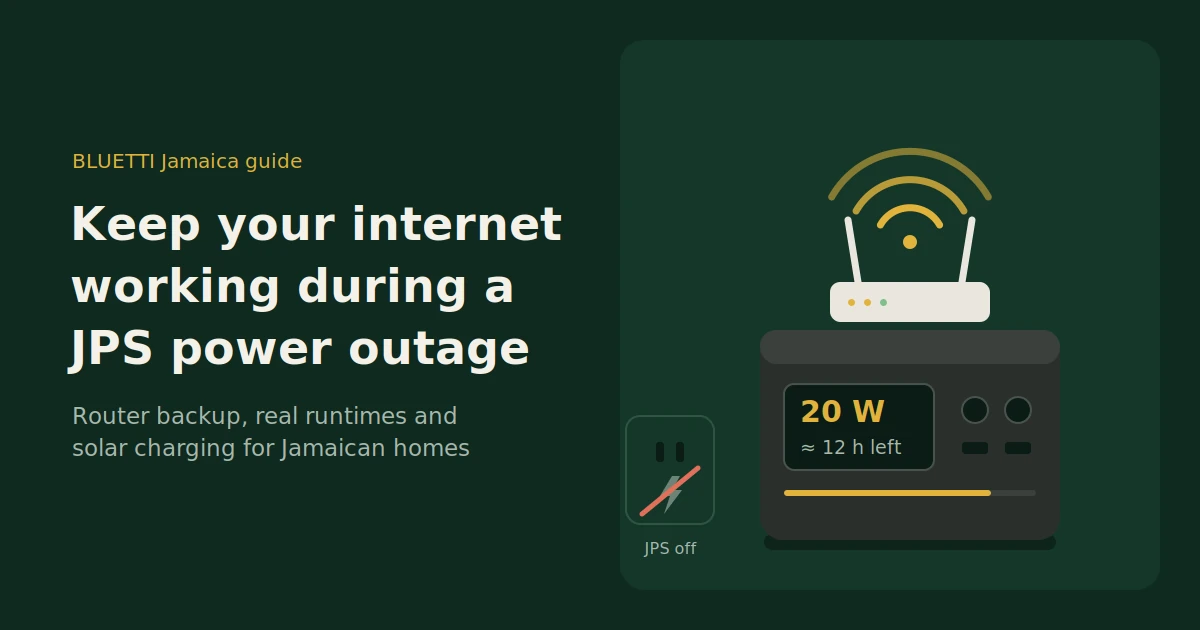
A simple runtime formula: multiply the battery’s capacity in watt-hours (Wh) by 0.85, then divide by your total watts. The 0.85 allows for energy lost in the inverter and conversion.
For example, a 288Wh power station running a 20W modem and router setup:
- 288 × 0.85 = about 245 usable watt-hours
- 245 ÷ 20 = about 12 hours of internet
Your backup options compared
For most homes, a portable power station is the best balance of runtime, safety and flexibility. A small UPS works for short outages. A generator covers long ones but can’t run indoors. A home battery with solar is the most complete option, and the most expensive.
| Option | Typical runtime for a router setup | Indoor use | Noise | Relative cost | Best for |
|---|---|---|---|---|---|
| Small UPS (computer-style) | Often 1–4 hours | Yes | Quiet, may beep | Low | Short outages and instant switchover |
| Portable power station | Many hours to days, depending on size | Yes | Silent or near-silent | Low to medium | Most homes and home offices |
| Phone hotspot | Limited by phone battery and mobile network | Yes | Silent | Already owned | Backup when provider equipment is down |
| Gas generator | As long as you have fuel | No, outdoors only | Loud | Medium, plus fuel | Long outages powering many appliances |
| Home battery with solar | Can cover extended outages with enough sun | Yes, installed system | Silent | High | Whole-home backup and lower JPS bills |
A note on generators: never run one indoors, in a garage or near open windows. Exhaust fumes contain carbon monoxide, which can kill without warning. Generators also produce less stable power than a battery, so many people charge a power station from the generator and run sensitive electronics from the battery.
Our take: for internet backup alone, a small portable power station is the sweet spot. It runs silently next to your router, covers most outages on one charge, and can be recharged by solar if an outage stretches into days.
How to set up a power station for your Wi-Fi
Place the power station next to your router, plug it into the wall, and plug your modem and router into it. With UPS mode on, it switches to battery automatically when JPS power drops. Test it once before you need it.
- Choose the spot. Keep the power station in a cool, ventilated place near your modem and router, off the floor if your area floods, and out of direct sun.
- Plug the power station into the wall. This keeps it fully charged while JPS power is on.
- Plug your modem and router into the power station. Use its AC outlets, the same way you’d use a power strip.
- Switch on UPS mode, if your model has it. The BLUETTI Elite 30 V2, for example, switches to battery in 10ms or less, fast enough that your router doesn’t restart. Without UPS mode, your router may reboot when the power cuts, which takes a minute or two.
- Test it. Switch off the wall socket and check that your Wi-Fi stays up. Look at the display to see how many watts your setup draws and the estimated runtime.
- Leave it plugged in. Between outages, the power station stays topped up and ready.
Get more runtime with DC power
Most routers run on a 12V adapter. Converting battery power to AC and back to 12V wastes energy, so running your router from the power station’s 12V DC output, with the right cable, can noticeably extend runtime on a small unit.
Only do this if your router adapter’s label says 12V and the connector and polarity match. If you’re unsure, stick with AC. It’s simpler and still gives most homes plenty of hours.
How long will it last? Real runtime examples
A small 288Wh power station can run a typical modem and router for around 12 hours. A mid-size unit covers a full day or more, and a large home-backup unit can keep you online for several days. Adding a laptop cuts runtime by roughly two-thirds, so size for your whole setup.
The estimates below use the formula from earlier, assuming a 20W modem and router, or 70W with a laptop running too.
| BLUETTI model | Capacity | Modem + router (20W) | Modem + router + laptop (70W) |
|---|---|---|---|
| Elite 30 V2 | 288Wh | About 12 hours | About 3.5 hours |
| AC50B | 448Wh | About 19 hours | About 5 hours |
| AC200L | 2,048Wh | Up to about 3.5 days | About 1 day |
| Apex 300 | 2,764.8Wh | Up to about 4.5 days | About 1.4 days |
Treat these as rough guides. Real runtime depends on your equipment, the temperature and the power station’s own consumption, which matters most on large units running very light loads. Larger inverters use more power just staying on, so a big unit running only a router may fall short of the estimate. The live runtime on the display is your best guide.
How to choose:
- Mostly short outages, router only: a compact unit like the Elite 30 V2 or AC50B is usually enough.
- Working from home through long outages: step up to a mid-size or large unit so your laptop, phone and a fan can share the battery.
- Keeping the whole home running: a large unit like the Apex 300, which can be expanded with extra batteries, also covers your fridge, lights and fans.
Keeping it charged on long outages: solar in Jamaica
If an outage lasts days, solar panels let you recharge your power station without JPS or a generator. Jamaica typically gets around five hours of strong sun a day, so even one portable panel can cover a router setup’s daily use. For whole-home backup, a full solar system makes more sense.
Here’s the maths for a 20W modem and router running around the clock:
- Daily use: 20W × 24 hours = 480Wh a day.
- What a 200W panel can produce: 200W × about 5 sun hours × about 0.75 for real-world losses (heat, angle, cloud) = roughly 750Wh on a good day.
- Result: one 200W panel can cover your internet for the day and help top up the battery, as long as the weather cooperates.
A 100W panel produces about half that, which still helps stretch a small battery through a long outage.
Choosing panels for this job
The best solar panels for internet backup are portable, folding panels matched to your power station’s solar input limit. The Elite 30 V2, for example, accepts up to 200W of solar. A bigger panel won’t charge it any faster.
A few tips:
- Set panels up in full sun, angled towards the sun, and move them as the day goes on if you can.
- Bring them inside before storms and high winds.
- Clean off dust and salt spray, especially near the coast, as dirty panels produce less.
When a full solar system makes more sense
If outages are frequent in your area, or you want to run your fridge, fans and lights as well as your internet, a larger solar system with a home battery may be worth considering. It can also reduce your JPS bill on normal days. It’s a bigger investment, so get a proper sizing and quote before you decide.
A backup for your backup: mobile data
If your router has power but there’s still no internet, your provider’s network is probably down. Switch to your phone’s mobile data and use it as a hotspot. A power station keeps your phone charged, so the hotspot can run as long as the mobile network stays up.
- Know your plan. Check how much data your plan includes, and consider a data top-up before hurricane season, since hotspotting a laptop uses data quickly.
- Try both networks. If you have phones on both Flow and Digicel, one network may stay up when the other doesn’t.
- Keep your phone plugged in. Hotspotting drains a phone battery fast. A USB port on your power station keeps it going.
- Expect limits in big storms. Cell towers also rely on power and backup systems. After a major hurricane, mobile coverage can be patchy too.
Hurricane season checklist for staying online
The best time to prepare is before the hurricane season begins on 1 June. Charge everything, test your setup and stock what you’ll need. Then, when a storm warning comes, you’re only topping up rather than starting from scratch.
Before the season:
- Test your power station with your modem and router plugged in
- Note your setup’s wattage and estimated runtime
- Check your solar panels and charging cables work
- Buy a surge protector if you don’t have one
- Check your mobile data plan and top up if needed
When a storm is forecast:
- Charge your power station, phones, laptops and power banks to 100%
- Download offline maps, documents and anything you’ll need without internet
- Move your power station and panels somewhere safe from flooding
- Save your provider’s outage contact details
After the storm:
- Only set up solar panels once it’s safe to go outside
- Wait until grid power is stable before plugging your power station back into the wall
FAQs
How long will a power station keep my Wi-Fi on?
It depends on the battery size and your equipment. A typical modem and router uses 10 to 25 watts, so a 288Wh power station can run it for around 12 hours. Larger units can keep you online for days.
Can I plug my Flow or Digicel router into a power station?
Yes. Plug the router and modem into the power station’s AC outlets, the same way you would a wall socket. BLUETTI power stations use a pure sine wave inverter, which suits sensitive electronics like routers.
Is a UPS or a power station better for Wi-Fi?
A small computer UPS is fine for outages of an hour or two. A power station with UPS mode gives you the same instant switchover with far more capacity, plus USB ports for phones and laptops and the option to recharge from solar.
Why is my internet still down when my router has power?
Your provider’s equipment, such as a street cabinet or exchange, has probably lost power too. Home backup can’t fix that. Switch to mobile data on your phone, or check your provider’s outage updates.
Can I run my router from solar panels?
Yes, through a power station. Solar panels charge the power station, and the power station runs your router. A single 200W panel can produce enough on a sunny day to cover a typical router setup.
Will a generator damage my router?
It can. Many generators produce less stable power than a battery or the grid. A safer approach is to charge a power station from the generator and run your router and laptop from the power station.
Stay online next time the lights go off
Keeping your internet working during a JPS outage doesn’t take a big system. A small battery next to your router, a charged phone and, for long outages, a solar panel will keep most homes connected.
Browse BLUETTI power stations and solar panels at BLUETTI Jamaica, with local stock for pickup, island-wide delivery, and warranty and parts handled in Jamaica. Not sure which size fits your setup? Contact our team with what you want to keep running, and we’ll help you choose.