Your power station sits next to the router, plugged into the wall day and night, so it’s ready the moment JPS power goes. It’s worked well through a few outages. But there’s a nagging question: is keeping it plugged in all the time quietly wearing out the battery?
Can I Leave a Power Station Plugged In All the Time
So, can you leave a power station plugged in all the time? For most modern BLUETTI units, yes. They’re designed to stop charging when the battery is full. In Jamaica, though, the bigger risks are heat and the power surges that can come when the electricity returns, not the charging itself.
This guide explains what happens when it stays plugged in, the real risks, and a simple routine for the whole year.
The short answer
Yes, for most modern LiFePO4 power stations. The battery management system stops charging when the battery is full, and in UPS or pass-through mode your devices run from the wall while the battery stays topped up. The bigger risks are heat and power surges. For long-term storage, a partial charge is gentler on the battery.
In practice:
- During hurricane season and frequent outages: keeping it plugged in, ideally behind a surge protector, is a sensible way to stay ready.
- If you won’t need it for months: store it at around 40–60% instead, and top it up every 3–6 months.
- Wherever it is: keep it cool, shaded and well ventilated.
What happens when a power station stays plugged in
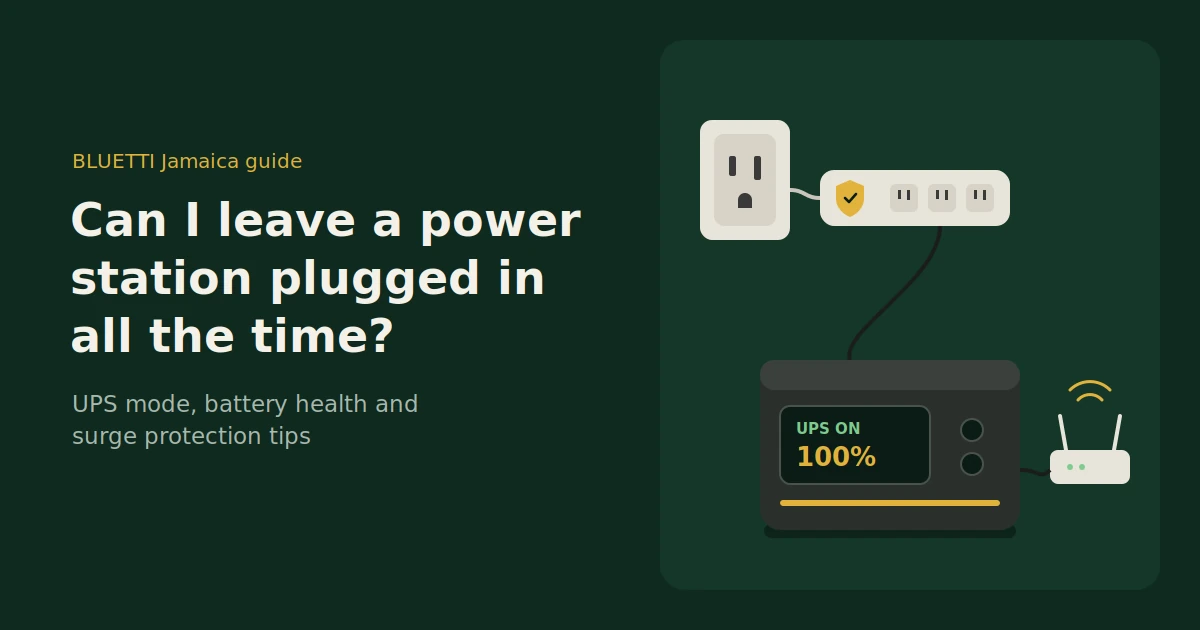
Once the battery is full, the battery management system stops charging it, so it isn’t being pushed past 100%. Your devices then run straight from the wall through the power station. When the power cuts out, it switches to battery automatically, within milliseconds on models with UPS mode.
The battery management system
Every modern BLUETTI power station has a battery management system (BMS) that monitors voltage, current and temperature. When the battery reaches full, it stops charging, and it protects against overcharging, overheating and short circuits.
Pass-through and UPS mode
With the power station plugged in, your router, fridge or CPAP draws power from the wall through it. If JPS power drops, the power station takes over:
- Many BLUETTI models switch over in about 20 milliseconds.
- The Elite 400 switches over in about 15 milliseconds.
- The Elite 30 V2 switches over in 10 milliseconds or less, fast enough for most sensitive electronics.
BLUETTI’s standard UPS mode keeps the battery at 100%, so you have maximum backup ready at all times.
Useful app settings
- Memory Mode, on models that have it, restarts the power station after an outage so connected devices power back up automatically.
- Custom charging, on supported models, lets you change how the power station charges from the BLUETTI app.
- ECO mode switches off ports that aren’t being used, so the power station doesn’t waste energy in standby.
Always plugged in vs stored vs topped up by solar
Keeping a power station plugged in gives you the best readiness for outages, with a little extra battery ageing from sitting at full charge. Storing it at a partial charge is gentlest on the battery, but it isn’t instantly ready. Topping up from solar panels gives you readiness without relying on JPS power.
| Always plugged in (UPS mode) | Stored unplugged at 40–60% | Topped up daily by solar | |
|---|---|---|---|
| Ready for a sudden outage | Yes, switches over automatically | No, needs charging first | Usually, depending on the weather |
| Battery wear | Slightly more, from sitting at full charge | Lowest | Depends on how deeply you cycle it |
| Exposure to surges from the grid | Yes, so use a surge protector | None | None from the grid |
| Standby electricity use | Some, reduced with ECO mode | None | Small, from the sun |
| Best for | Hurricane season and frequent outages | Long periods without use | Daily use and cutting your JPS bill |
Is sitting at 100% bad for the battery?
Not dangerously. LiFePO4 batteries handle full charge better than many other lithium chemistries, and the battery management system prevents overcharging. Over months, keeping any lithium battery at 100% does cause slightly faster ageing than storing it partly charged, which is why BLUETTI recommends a moderate charge for long-term storage.
What that means in practice:
- For backup, being full is the point. The small extra wear is a reasonable trade for being ready when JPS power goes.
- For long storage, aim lower. BLUETTI recommends storing a power station at around 40–60% and recharging it every 3–6 months.
- Heat makes it worse. A full battery in a hot room ages faster than a full battery in a cool one, so location matters as much as charge level.
Most current BLUETTI models are rated for thousands of charge cycles to 80% capacity. For a well-kept unit, sitting plugged in through hurricane season isn’t what decides its lifespan.
The real risks in Jamaica
In Jamaica, the main risks of keeping a power station plugged in aren’t about the battery charging. They’re about power surges when the electricity returns, lightning during storms, heat, and a small amount of standby energy use. Each one has a simple fix.
Power surges and flickers
When power comes back after an outage, the supply can flicker or surge before it settles. Anything plugged into the wall, including your power station, is exposed to that.
- Plug the power station into a quality surge protector, rather than straight into the wall.
- Consider whole-home surge protection. A licensed electrician can advise on fitting it at your switchboard.
- If the power flickers on and off repeatedly, unplug the power station from the wall and run on battery until the supply settles.
Lightning and storms
During a severe thunderstorm or as a hurricane approaches, a lightning strike nearby can send a large surge through the wiring that even good surge protectors may not stop.
- Charge to full before the storm arrives.
- Unplug from the wall during severe weather and run your essentials from the battery.
- Reconnect once the storm has passed and the power supply is steady.
Heat
Heat ages batteries faster, and a unit that’s always plugged in is always slightly warm. Keep it in a shaded, ventilated spot, off hot floors and away from windows with strong afternoon sun.
Standby power use
A plugged-in power station uses a little electricity to keep its inverter and electronics running. BLUETTI says the Apex 300, for example, draws around 18–20W at idle on AC. Turn on ECO mode, or switch off AC output when you don’t need it, to cut that down.
Using solar instead of the wall
If you’d rather not keep your power station connected to the grid, solar panels can keep it topped up instead. With Jamaica’s strong sun, even a modest solar setup can refill the battery during the day, so it’s ready for the evening or an outage, without the surge exposure.
- Daily top-ups. A panel set up on a sunny balcony or yard can replace what you used overnight.
- No grid surges. Solar charging isn’t affected by JPS power flickering on and off.
- Lower bills. Running evening loads from solar-charged batteries reduces how much electricity you buy.
- Match your panels. The best solar panels for this job are matched to your power station’s solar input range and built to handle heat and salt air.
- Scale up when needed. If you want to cover more of your home each day, a larger solar system with more battery storage spreads the load.
Many owners combine the two: solar during the day, and plugged in through a surge protector when bad weather is coming.
A simple year-round routine
During hurricane season, keep your power station plugged in through a surge protector with UPS mode on, so it’s always ready. Outside the season, if you won’t use it for a while, store it at a moderate charge and top it up every few months.
Hurricane season (June to November):
- Keep it plugged in through a quality surge protector, with UPS mode on.
- Turn on ECO mode for unused ports.
- Charge to full when a storm warning is issued.
- Unplug from the wall during severe weather, and run from the battery.
- Reconnect once the power has been steady for a while.
Off-season, if you won’t use it for a while:
- Charge or discharge it to around 40–60%.
- Switch it off and store it in a cool, dry place.
- Top it up every 3–6 months.
- Fully charge it again before the next hurricane season begins.
If you use it daily with solar: let it cycle with the sun, and keep it out of the heat.
Signs something’s wrong
A healthy power station that stays plugged in should feel no more than slightly warm and run quietly most of the time. If it swells, gets hot, smells strange, runs its fans constantly or shows error codes you can’t clear, unplug it and contact your seller.
Watch for:
- Swelling, bulging or cracks in the case
- A burning or chemical smell
- Unusual heat when it isn’t charging or powering anything heavy
- Fans running loudly all the time, even with light loads in a cool room
- Error codes that keep coming back
If you see any of these, switch it off, unplug it, move people and pets away, and contact your seller with the model, the problem and photos. If there’s smoke or fire, leave and call the fire brigade on 110.
FAQs
Can I leave my power station plugged in all the time?
Yes, for most modern LiFePO4 power stations, including current BLUETTI models. The battery management system stops charging when it’s full. Use a surge protector, keep the unit cool and ventilated, and unplug it during severe storms.
Is it safe to charge a power station overnight?
Yes, for a certified unit. The battery management system stops charging when the battery is full. Place it on a hard surface with clear vents, away from bedding, curtains and direct heat.
Does keeping it at 100% damage the battery?
Not dangerously, but it causes slightly faster ageing over long periods than storing it partly charged. For backup, the readiness is worth it. For months of storage, BLUETTI recommends around 40–60%, topped up every 3–6 months.
Should I use UPS mode for my router or fridge?
UPS mode is ideal for routers, modems, computers and CPAP machines that you don’t want interrupted. Many BLUETTI models switch over in about 20 milliseconds, and the Elite 30 V2 in 10 milliseconds or less. Fridges handle a brief switchover easily.
Do I need a surge protector for my power station?
It’s a good idea in Jamaica. Power can surge or flicker when electricity is restored after an outage. A quality surge protector between the wall and your power station adds protection, and you should still unplug it during severe storms.
How should I store my power station when I’m not using it?
Store it at around 40–60% charge, switched off, in a cool, dry place, and top it up every 3–6 months. Charge it fully before hurricane season or any expected outage.
Stay ready without worrying
Keeping your power station plugged in is a smart way to be ready for JPS outages, as long as you protect it from surges and heat. Use UPS mode in hurricane season, store it at a moderate charge when you won’t need it, and let solar panels do the topping up whenever you can.
Browse BLUETTI power stations and solar panels at BLUETTI Jamaica, with local stock, island-wide delivery, and warranty and parts handled in Jamaica. Want help setting up UPS backup for your router, fridge or CPAP? Our team can help you choose the right model and setup.