The power cuts. A few seconds later the Wi-Fi symbol vanishes, your laptop drops off the call, and everyone in the house switches to mobile data at once.
Keep Internet Working During a JPS Power Outage
Keeping internet working during a JPS power outage is one of the cheapest things you can fix your router and modem together draw about as much as a light bulb. But there’s a catch most guides skip, and it’s the reason people back up their router and still end up offline in a storm.
Here’s the full picture.
How do you keep internet working during a power outage?
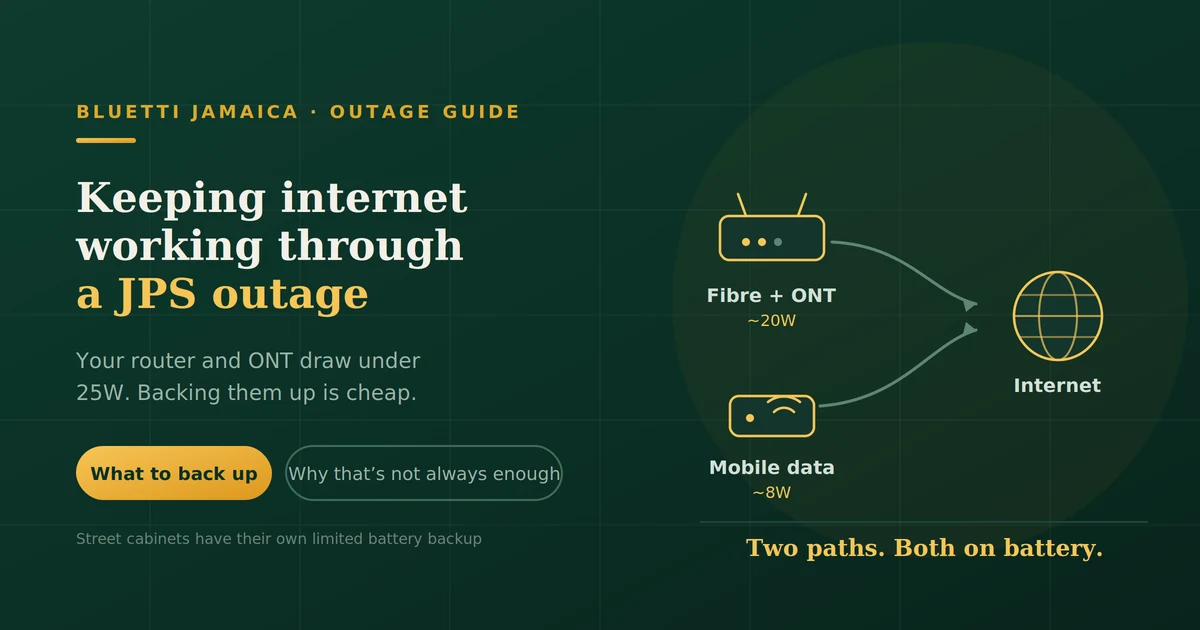
Back up your router and your ONT or modem. Together they typically draw 15–25W, so even a small power station runs them for a day or more.
That’s the easy part, and it genuinely works for the short, localised outages that make up most of what JPS throws at you.
The harder truth: your internet doesn’t stop at your house. In a wide-area outage, your ISP’s street-side equipment may be down too, and no amount of backup inside your walls changes that. Which is why the real answer involves two paths to the internet, not one.
What actually dies when the power goes
| Equipment | Whose? | On your backup? |
|---|---|---|
| Wi-Fi router | Yours | Yes back it up |
| ONT / fibre modem | Yours | Yes back it up |
| Mesh nodes | Yours | Yes, if you use them |
| Network switch | Yours | Yes, if you have one |
| Street cabinet / fibre node | ISP’s | No out of your control |
| Cell tower | Carrier’s | No has its own limited backup |
Everything in the top half is cheap to keep running. Everything in the bottom half is somebody else’s problem, and in a hurricane that somebody is having a worse night than you.
Why your phone still has signal when the Wi-Fi is gone
Because cell towers have their own battery backup and, in many cases, generators. That’s why mobile data often keeps working for a while after your home internet dies.
It’s also the foundation of the strategy below. Your phone isn’t just a backup device it’s a backup path.
A UPS versus a power station
A UPS is designed for short gaps. It gives you minutes enough to save a document and shut down cleanly. Most consumer units won’t run a router for more than half an hour.
A power station is a battery with an inverter, sized in watt-hours rather than minutes. For a 20W network load, even a modest unit runs for a day or more.
For JPS outages, which regularly run hours rather than minutes, the power station is the right tool.
Your network gear draws almost nothing
This is the part people get pleasantly wrong. Keeping the internet alive is the cheapest meaningful backup on anyone’s list.
| Device | Typical draw | Per 24 hrs |
|---|---|---|
| Wi-Fi router | 6–12W | 144–288Wh |
| ONT / fibre modem | 5–10W | 120–240Wh |
| Mesh node (each) | 5–8W | 120–192Wh |
| Network switch (small) | 5–10W | 120–240Wh |
| 4G backup router | 5–10W | 120–240Wh |
A router and ONT together call it 20W use roughly 480Wh per day. A 500Wh unit covers close to a full day of connectivity. A 1,000Wh unit covers two.
Compare that with a fridge, and you’ll see why this is the first thing to back up rather than the last. The method for working out your own numbers is in our guide to calculating runtime properly.
The part most people get wrong
Here’s where the straightforward advice stops being enough.
Fibre doesn’t travel from your house to the internet unassisted. It passes through equipment in the street, which needs power. That equipment generally has battery backup but battery backup is finite, measured in hours rather than days, and it’s being drained by the same outage affecting you.
So there are two different situations, and they behave completely differently:
A localised outage your street, your transformer, a few blocks. The wider network is fine. Back up your router and ONT and you stay connected normally. This covers most outages.
A wide-area outage after a storm, affecting a parish or more. Street cabinets run down their batteries, and you can have a perfectly powered router at home connected to nothing.
The uncomfortable implication: the outages where connectivity matters most are the ones where your own backup is least likely to be sufficient.
That’s not a reason to skip it. It’s a reason to have a second path.
Two paths beat one
The strategy that actually survives hurricane season: fixed line as primary, mobile as fallback, both running on battery.
Three ways to build the second path:
- Phone hotspot. Free, already in your pocket. Drains your phone fast, so keep it charged from the power station.
- Dedicated 4G/LTE router. Takes a data SIM, draws 5–10W, and gives the whole house a connection without flattening anyone’s phone. The most practical option if you work from home.
- Dual-WAN router. Automatically fails over from fibre to mobile. More setup, most seamless.
Set it up before you need it. The worst time to configure a hotspot or activate a data SIM is during a storm with 20% battery and no internet to look up instructions. Get it working on a quiet evening, then leave it ready.
Mobile networks have their own limits
Be realistic. Cell towers run on battery backup too, and in extended outages some will go down. Those still up get congested as everyone in the parish switches to mobile data at once.
A second path is a genuine improvement in your odds. It isn’t a guarantee, and anyone selling it as one is overstating.
What size power station you need
A realistic connectivity load:
| Load | Draw | 24 hrs |
|---|---|---|
| Router | 10W | 240Wh |
| ONT | 8W | 192Wh |
| Mesh node | 6W | 144Wh |
| Phone charging | 15W × 3 hrs | 45Wh |
| Total | ~24W | ~620Wh |
Allowing for conversion losses, that needs roughly 730Wh of rated capacity for a full day.
- Overnight (12 hrs): around 400Wh
- Full day: 750Wh–1,000Wh
- Three days: 2,000Wh+, or a smaller unit plus solar
Add a laptop at 65W for a working day and you’re adding another 500Wh or so. If you’re also planning to keep a fridge cold, our guide to what a 2000Wh unit will run covers the bigger picture.
Setting it up before the next outage
- Plug the gear in now, not in the dark. Router, ONT and mesh node onto the power station, with the station itself plugged into the wall.
- Label the cables. In an outage with a torch in your mouth, this matters more than it sounds.
- Know where your ONT is. A surprising number of people have never located it often in a cupboard or on an outside wall.
- Keep the unit charged as a habit, not when a storm is forecast. Plug it back in the moment grid power returns.
- Test it. Pull the plug on a quiet evening and confirm everything stays up. Find the problem now rather than during a hurricane.
- Configure the mobile fallback and confirm it works.
Solar, and whether it’s worth it here
For a 24W load, very little panel keeps you going indefinitely.
200W array × 5 peak sun hours × 0.75 derate = 750Wh per day
That covers a full day’s connectivity with margin, in good Jamaican sun. Even 100W covers an overnight-plus setup.
Where it earns its place is the multi-day storm, when capacity stops being the constraint and recharging starts. A battery alone gives you a fixed number of days. A battery plus a modest panel gives you connectivity for as long as the sun comes up assuming, as always, that your ISP is still standing.
Plan for cloudy days rather than perfect ones. Storm outages and bright sunshine don’t usually coincide.
Working from home through an outage
For the people most likely to be searching this at 9am on a Tuesday.
What a video call actually needs: upload bandwidth matters more than download, and it’s usually the weaker direction on both fibre and mobile. If your call is choppy, turning off video while keeping audio helps considerably.
Your laptop is the bigger load. At 65W it uses roughly three times what your entire network setup does. Budget for it separately.
Manage expectations early. During hurricane season, a quick message to your manager explaining that you’re on backup power and may drop is better than disappearing mid-meeting. Most people are understanding about weather; they’re less understanding about silence.
Have a plan B location. Sometimes the honest answer is a café or an office with a generator.
What still won’t work
Even with power and a connection:
- Cloud-dependent smart home devices if the service is down or your connection is intermittent, local devices may stop responding
- Anything behind the street cabinet, if that’s what’s down
- Congested mobile data, when everyone switches at once
- Services whose own infrastructure is affected by the same storm
Keeping your router powered gets you connected. It can’t fix the parts of the internet that are also having a bad day.
FAQs
Will my Wi-Fi work if I have a generator?
Yes, if the generator is powering your router and ONT. Never run a generator indoors, in a garage, or close to the house carbon monoxide from generators kills people after storms. Keep it well away with the exhaust directed outward.
How long will a power station run a router?
A long time. At around 20W for a router and ONT together, a 500Wh unit runs them for roughly a day, and a 1,000Wh unit for about two.
Does fibre internet work without power?
Not at your end the ONT needs power. The fibre itself carries light and doesn’t care, but the equipment converting it at both ends does.
Do I need a UPS or a power station?
A power station, for JPS-length outages. A UPS gives you minutes; a power station gives you hours or days.
Will mobile data work during an outage?
Often yes, at least initially. Cell towers have their own backup, though it’s finite and the network gets congested when everyone switches at once.
How much does it cost to keep internet running?
Less than almost anything else on your backup list, because the load is so small. A modest power station covers it.
What’s the first thing I should back up?
The router and ONT. They cost almost nothing to run and keeping them alive is what lets you check on people, get information, and keep working.
Work out what your setup needs
Find the labels on your router and ONT, note the wattage, and you’ll likely be surprised how small the number is. Keeping your household connected is the cheapest backup you can buy.
Send us those details and we’ll tell you what size unit covers them and whether it’s worth sizing up to cover a laptop or a fridge at the same time. The range is at BLUETTI Jamaica.