You have bought the solar panel and the power station, you lay everything out in the sun, and then the plugs don’t match. Or they connect, but charging crawls along far slower than the numbers promised. Nine times out of ten, the culprit is the solar charging cable: the wrong connector, the wrong gauge, or a run that’s simply too long. Get this one component right and the rest of your setup does what it was built to do.
This guide covers what a solar charging cable actually is, the connector types you’ll run into, how to pick the correct one for your gear, and the small mistakes that quietly cost you charging speed with specifics for Bluetti power stations and for the realities of Jamaica’s climate.
What is a solar charging cable?
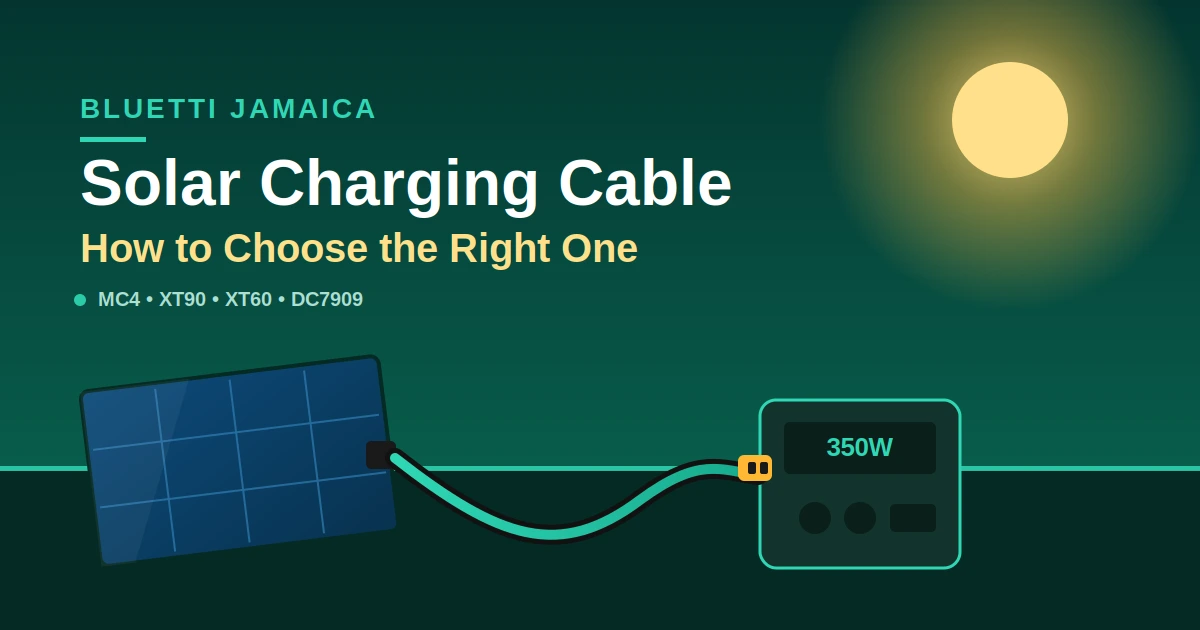
A solar charging cable is the wire that carries DC electricity from your solar panel to your power station or charge controller. It has a specific connector on each end often MC4 on the panel side and a device-specific plug on the other plus a copper conductor sized to handle the current without losing too much power along the way.
Get the connector and the conductor right and power flows cleanly. Get them wrong and you either can’t connect at all, or you lose energy as heat in the cable. Two things define every solar cable: the connectors (do they physically fit and lock?) and the conductor (is the wire thick enough for the current and the distance?). Everything else is detail.
Common solar cable connector types
Solar gear uses a handful of standard connectors, and mixing them up is the number-one setup problem. The panel side is almost always MC4. The power-station side varies by brand and model Bluetti alone uses XT90, XT60, DC7909, and aviation plugs across its range.
Here’s what each connector is and where you’ll see it:
MC4 the universal panel connector
MC4 is the industry-standard connector on the output of nearly every solar panel, Bluetti or third-party. As one setup guide notes, <cite index=”39-1″>most panels, whether from Bluetti or third parties, use the MC4 connector.</cite> It’s a locking, weatherproof connector rated for high current, which is why it’s become the default. If your panel has MC4 and your power station doesn’t, you need an MC4-to-[device] adapter cable.
XT90 high-current Bluetti input
XT90 is a chunky, high-current plug used on larger Bluetti stations. The MC4-to-XT90 cable is the standard solar lead for models like the AC200P and AC200MAX <cite index=”38-1″>with this adapter cable, solar panels with an MC4 output can be connected to the input of the Bluetti.</cite>
XT60 mid-range Bluetti input
XT60 is a smaller sibling of the XT90, used on many current-generation units. Bluetti’s own accessory listings show it split by current: a <cite index=”37-1″>10A MC4-XT60 cable compatible with the EB55, AC70, AC2A, Elite 30 V2, Elite 10, AC50B, AC60P and AC180T; and a 20A MC4-XT60 cable for the Elite 400, Elite 300, Apex 300, Elite 100 V2 and Elite 200 V2.</cite>
DC7909 barrel plug for smaller units
DC7909 is a round barrel connector found on Bluetti’s smaller, portable units. The MC4-to-DC7909 cable is the standard lead for models like the <cite index=”37-1″>EB70S and EB3A</cite>, and it also appears on units like the AC180, EB70 and B80.
Aviation plug larger and modular systems
Some larger Bluetti systems (such as the AC300) use a threaded or push-pull aviation connector for a locked, secure, high-current connection. These pair with an MC4-to-aviation cable.
Comparison table: connector types at a glance
This table summarises the main connectors, typical Bluetti models, and what to watch for. Always check your own unit’s manual for its exact input rating.
| Connector | Panel or device side | Common Bluetti models | Notes |
|---|---|---|---|
| MC4 | Panel side | Almost all solar panels | Universal, locking, weatherproof the panel-side standard |
| XT90 | Device input | AC200P, AC200MAX, EB200 | High-current; standard on larger portable units |
| XT60 | Device input | AC70, EB55, Elite 10/30, AC180T (10A); Elite 200/300/400, Apex 300 (20A) | Rating varies by model 10A vs 20A cable |
| DC7909 | Device input | AC180, EB70/EB70S, EB3A, B80 | Barrel plug for smaller, portable units |
| Aviation | Device input | AC300 and some larger systems | Threaded/locking, high-current, modular setups |
How to choose the right solar charging cable
Match four things and you’re set: the connector, the current rating, the wire gauge, and the weatherproofing. Skip any one and you’ll get a cable that either won’t fit, wastes power, or degrades quickly outdoors.
Work through this checklist:
- Match the connector. Identify your power station’s solar input (XT90, XT60, DC7909, aviation) and your panel’s output (almost always MC4). Buy the cable that bridges the two.
- Check the current rating. Your panel’s short-circuit current (Isc) must stay under both the cable’s rating and the station’s max input current. A 10A cable on a 20A setup is a fire risk, not a shortcut.
- Size the wire gauge for the length. Longer runs need thicker wire (see the next section). A short factory lead is fine as-is; a long extension needs heavier copper.
- Confirm it’s weather-rated. For any cable that lives outdoors, look for UV-resistant insulation and an IP water-resistance rating. Ordinary house wire is not built for this.
One bonus with Bluetti: you don’t need a separate charge controller. As the True Gear guide explains, <cite index=”39-1″>Bluetti power stations have MPPT tech built in it automatically adjusts to give you the best solar input possible, so just make sure you stay within the unit’s voltage and current limits.</cite>
Cable gauge and length: why they affect charging speed
Thicker wire and shorter runs mean less power lost as heat. Every cable has resistance, and resistance turns some of your solar energy into warmth instead of charge. The longer and thinner the cable, the bigger the loss which shows up as slower charging. The industry rule of thumb is to keep voltage drop under 3%.
Wire gauge is measured in AWG, and counterintuitively, a smaller number means a thicker wire. As one wire guide puts it, <cite index=”47-1″>each 3-step decrease in AWG number roughly doubles the wire’s cross-sectional area and halves its resistance per unit length.</cite>
Rough gauge guidance for panel runs:
- 10 AWG: <cite index=”41-1″>Generally recommended for shorter connections, typically up to 10–15 feet, to minimise voltage drop.</cite>
- 8 AWG: For runs of roughly 15–30 feet, to significantly reduce energy loss over the longer distance.
- 6 AWG: For extended runs beyond 30 feet, or if you plan to add more panels later.
A concrete example of why length bites: <cite index=”42-1″>a 200W panel drawing 16.67A over 30 feet on 10 AWG wire produces about a 3.2% voltage drop slightly over the limit so moving up to 8 AWG is advisable.</cite> Same panel, same cable, half the distance, and the loss roughly halves. That’s why the factory cable that ships with a panel is usually short it keeps losses tiny.
Solar charging cables for Bluetti power stations
For Bluetti, the standard solar lead is an MC4-to-[device] cable, and it usually ships in the box. As Bluetti’s own accessory pages state, <cite index=”36-1″>these solar charging cables are the standard cables that come with the machine if the original is damaged or lost, you can order an identical one.</cite>
A few practical pointers:
- Check what came in your box first. Most Bluetti units include the correct MC4-to-device cable. You only need to buy one if it’s lost, damaged, or you’re using a third-party panel.
- Third-party panels are fine within limits. If you’re not using a Bluetti panel, you become responsible for the specs: keep the panel’s open-circuit voltage (Voc) inside the station’s range and its current under the max.
- Use an extension when you need distance. A Bluetti solar extension cable lets you place panels in better sun while the station stays in the shade. Bluetti’s extension sets come in lengths like <cite index=”34-1″>5m and 10m with MC4 connectors rated to 30A</cite>.
- Parallel cables combine panels. To feed two panels into one input, a parallel cable (e.g. an XT60-to-MC4 parallel lead) merges them check your station’s max input current first.
You can match the right cable, adapter, or extension to your unit through the Bluetti Jamaica store, which keeps the model-specific accessories together.
Caring for your solar cable in Jamaica’s climate
Jamaica’s sun, humidity, and coastal salt air are hard on cables. UV degrades cheap insulation, humidity and salt corrode poorly-made connectors, and storm season means cables shouldn’t be left rigged outdoors for months. Buy weather-rated, and store smart.
What actually helps:
- Choose UV- and weather-rated cable. Quality PV cable uses tinned copper and flame-retardant, UV-resistant insulation precisely because <cite index=”41-1″>solar panels are exposed to sun, rain, heat, and sometimes extreme conditions.</cite> Coastal properties especially benefit from tinned-copper conductors, which resist corrosion.
- Look for a real IP rating. An IP65 or IP67 cable handles rain and dust. Don’t assume check the spec.
- Disconnect and store during hurricane season. Flying debris and standing water are cable-killers. Coil cables loosely (tight bends stress the conductor) and store them dry.
- Inspect connectors periodically. Salt air can dull MC4 contacts over time; a quick check for corrosion or heat discolouration catches problems early.
The trade-off of leaving cables outdoors permanently: convenience now versus faster degradation and a real safety risk later. For a fixed install, hardware it properly and protect the runs. For portable camping or backup use, disconnect and store between uses.
Common mistakes to avoid
The same handful of errors come up again and again. From what we see with real setups:
- Wrong connector. Assuming all Bluetti units use the same plug. They don’t XT90, XT60, DC7909, and aviation all appear across the range. Check your model.
- Undersized gauge on a long run. Using a thin cable over a long distance and then wondering why charging is slow. That’s voltage drop eating your power.
- Exceeding the current rating. Putting a 10A cable on a 20A-capable panel/station pairing. Match the amps, or risk overheating.
- Cheap, non-rated cable. Regular hookup wire has no UV or weather rating and isn’t safe for solar DC outdoors.
- Plugging in while the panel is folded or shaded. Connect only once the panel is laid out in full sun, for a steady, safe charge.
- Ignoring Voc on third-party panels. A panel whose open-circuit voltage exceeds the station’s limit can damage the unit. Always check before connecting.
FAQs
Can I use any cable to connect solar panels to a power station?
No. You need a cable with the correct connectors on each end (usually MC4 on the panel, and your station’s specific input like XT90 or DC7909) and a conductor rated for the current. Ordinary wire isn’t safe or weatherproof for solar DC.
What connector do Bluetti power stations use?
It varies by model. Larger units like the AC200P/AC200MAX use XT90; many current units use XT60 (10A or 20A versions); smaller portables like the AC180 and EB3A use DC7909; and some large systems like the AC300 use an aviation plug. The panel side is almost always MC4.
Does a longer solar cable reduce charging speed?
Yes, slightly, through voltage drop. Longer and thinner cables lose more energy as heat, which shows up as slower charging. Keeping voltage drop under about 3% by using a thicker gauge for longer runs preserves charging speed.
Can I extend my solar charging cable?
Yes. Bluetti and third parties sell MC4 extension cables (commonly 5m and 10m) so you can place panels in better sun. Use an appropriate gauge and stay within the cable’s current rating to keep losses low.
Are solar charging cables waterproof?
Quality ones are weather-resistant, with UV-resistant insulation and an IP rating like IP65 or IP67. But connectors are the weak point check the spec, and disconnect and store cables during hurricane season rather than leaving them exposed.
What gauge solar cable do I need?
For short runs (up to ~4–5m), 10 AWG is usually fine. For 5–9m, step up to 8 AWG; beyond that, consider 6 AWG. The exact choice depends on your panel’s current and the run length thicker is safer for long distances.
Do I need a charge controller with a Bluetti?
No. Bluetti power stations have MPPT charge control built in. You just connect a compatible solar cable and stay within the unit’s voltage and current limits.
Get the right cable for your setup
The right solar charging cable is the difference between a system that charges at full speed and one that quietly underperforms. If you are not sure which connector, gauge, or extension your unit needs, browse the model-matched cables and adapters at Bluetti Jamaica, or reach out with your power station model and panel details and we’ll point you to the correct lead.